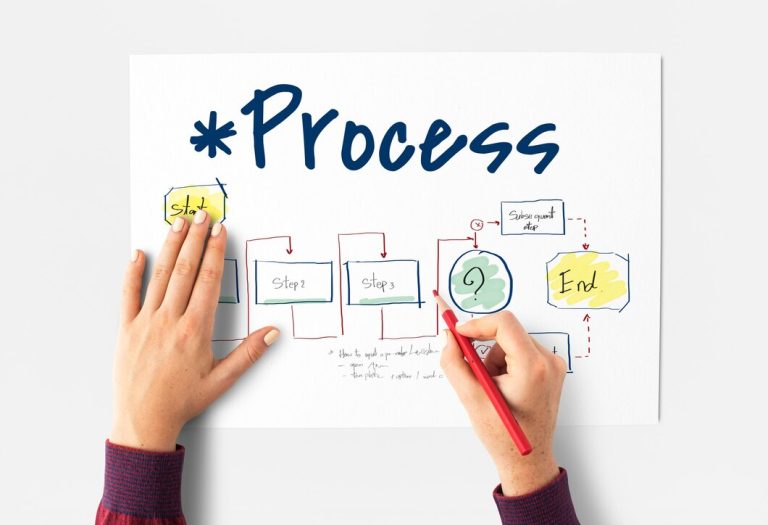
In the digital age, the continued reliance on paper is one of the most visible and unnecessary failures of office waste reduction. Paper requires massive resource input—timber, water, energy—and creates a continuous waste stream, even when recycled. Furthermore, paper processes slow down workflows, increase storage costs, and expose businesses to compliance risks.
The paperless office is a non-negotiable step in building a circular workplace. Paper reduction is the digital strategy that minimizes consumption, cuts costs, and drastically improves workflow efficiency. This guide provides a definitive paperless office implementation guide, detailing how to transition to paperless office, outlining the essential tools for going paperless at work, and offering realistic timelines for successful digital office transformation.
I. The Resource Cost of Physical Documents (The OREO Framework)
The paper-based workflow is a systemic leak that costs time, money, and natural resources.
The Myth of Security
Opinion: The reliance on paper documents in the modern office is an outdated, resource-intensive practice that provides a false sense of security and actively impedes efficiency.
Reason: Every sheet of paper printed represents material cost, energy consumption, and long-term storage expense. Digital documents, by contrast, are infinitely searchable, immediately shareable, and, when properly backed up in a secure cloud, are far more resilient than physical copies (which are vulnerable to fire, flood, and physical misplacement). The physical workflow of printing, signing, and filing is a massive drain on employee productivity.
Example: An HR department prints 50 forms daily for employee onboarding and compliance. This single process costs the company thousands annually in paper, toner, and employee time spent filing. By switching to e-signature tools and a digital document management system, the company immediately eliminates the paper waste stream, increases the speed of compliance by 90%, and frees up hours of administrative time for more valuable work.
Opinion/Takeaway: Therefore, the paperless office is the optimal digital office strategy that achieves the highest form of paper reduction, transforming a resource-heavy liability into a highly efficient digital asset.
II. How to Transition to Paperless Office: A Phased Approach
The transition from a paper-based to a digital office must be managed in phases to ensure employee buy-in and avoid workflow disruption.
Phase 1: Audit and Strategy (0–30 Days)
- Audit: Identify the biggest paper consumers (e.g., HR forms, invoices, meeting notes).
- Strategy: Choose one low-risk, high-volume process (e.g., expense reports) to pilot the paper reduction transition.
- Infrastructure: Select a secure document management system (DMS) for cloud-based storage.
Phase 2: Implementation and Tools (30–90 Days)
- E-Signature Rollout: Implement a universal e-signature platform. This tool alone eliminates one of the biggest drivers of printing.
- Scanning and Archiving: Begin converting high-value, legacy paper files into digital archives. Use a “scan-and-shred” policy for new paper that arrives.
- Printer Policy: Change the default printer settings to double-sided and black-and-white.
Phase 3: Culture and Expansion (90+ Days)
- “Digital-First” Mandate: Institute a rule: “If it exists digitally, it must stay digital.”
- Meetings: Ban printed handouts. Use shared screens and collaboration tools.
- Measure: Track the reduction in paper purchases and printing costs to prove the value of the paperless office implementation guide.
III. Tools for Going Paperless at Work
The success of going paperless relies on integrating the right software into the existing workflow.
| Tool Category | Function | Paperless Office Benefit |
| Document Management System (DMS) | Centralized cloud storage, version control, security, and searchability. | Eliminates physical filing cabinets, allowing instant retrieval and secure access. |
| E-Signature Platforms | Legally binding electronic signing of contracts, forms, and approvals. | Eliminates the need to print, sign, scan, and file critical documents. |
| Collaboration Platforms | Shared digital whiteboards, real-time editing, and digital note-taking apps. | Eliminates printed meeting notes and single-use flip charts. |
| Digital Invoicing/Receipts | Software integration for sending and receiving all financial documents electronically. | Eliminates the constant flow of vendor paper and simplifies accounts payable/receivable. |
IV. Paperless Office Implementation Guide for Circularity
The shift to the paperless office is a key act of digital transformation that provides both circular and economic benefits.
- Resource Conservation: Drastically reduces the consumption of trees, water, and the energy required for paper manufacturing and recycling.
- Space Saving: Eliminates the physical space required for filing cabinets, freeing up valuable circular workplace real estate for staff or collaborative uses.
- Enhanced Security: Digital documents can be encrypted, access-controlled, and audited instantly, providing a level of security impossible to achieve with physical filing.
Conclusion: Efficiency is the New Green
The paperless office is not a utopian ideal; it is a current business necessity driven by the economic and environmental costs of paper consumption. The transition is a high-return investment that improves productivity, reduces storage costs, and minimizes resource waste.
How to transition to paperless office is simple: start with an audit, invest in core tools (e-signatures and a DMS), and enforce a “digital-first” culture. By mastering these steps, your business achieves a powerful paper reduction goal, proving that the most efficient office is the most circular.
About the Author